The Photo Feed
The feed is where you see photos shared by you and the people you’re connected to.
Instant loading
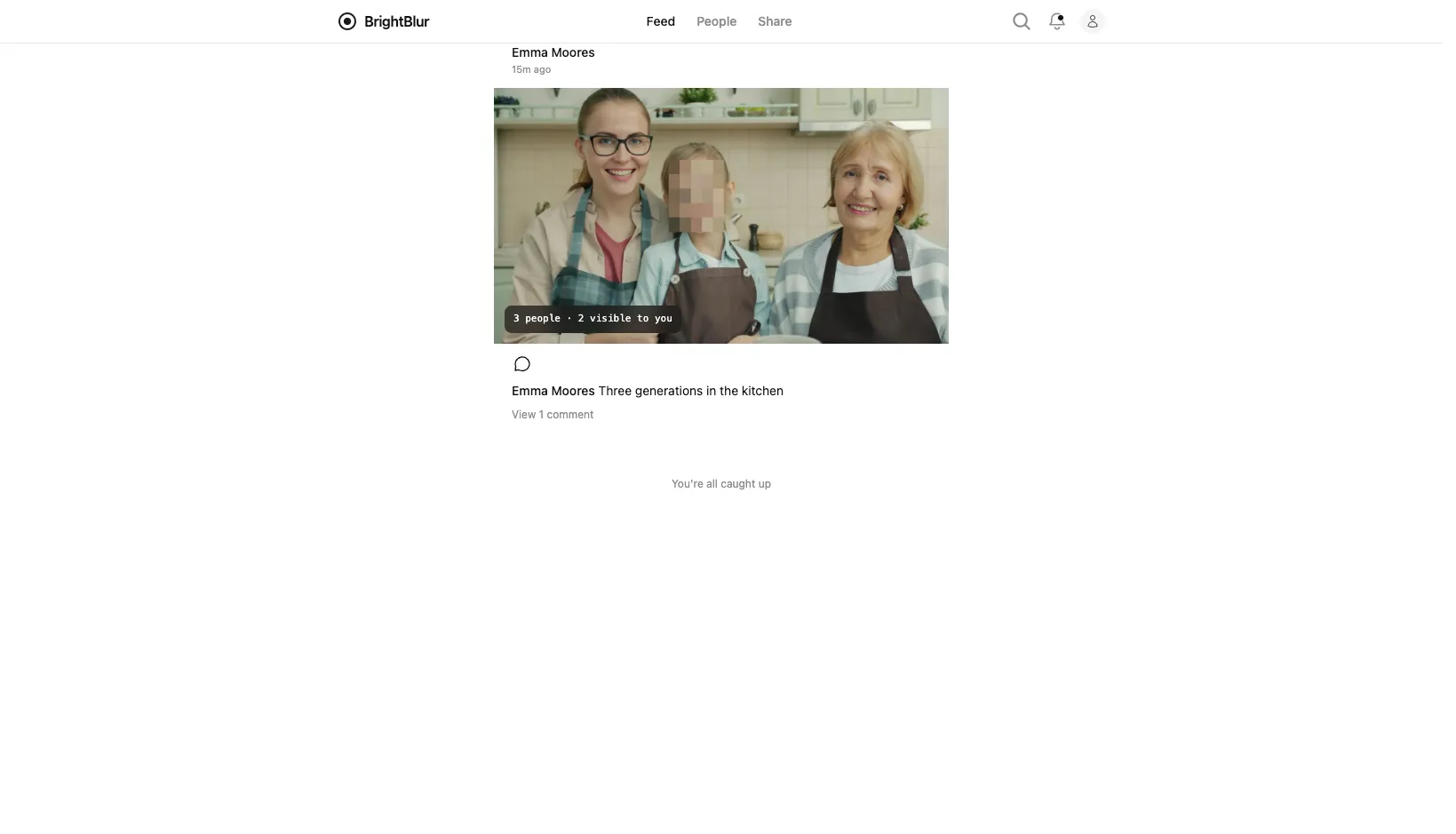
Section titled “Instant loading”BrightBlur uses server-side rendering to lay out your feed instantly. You’ll see the grid, timestamps, and pixelated placeholders before any decryption starts — so the page feels fast even on slow connections. Captions are themselves end-to-end encrypted, so they appear a moment later, once your browser has the content key to decrypt them.
Face compositing
Section titled “Face compositing”As you scroll, BrightBlur automatically:
- Identifies which face slices you have permission to decrypt.
- Fetches the encrypted slices and the required keys.
- Decrypts them in your browser.
- Composites the clear faces over the pixelated regions in the base image.
This happens in real time, entirely on your device. The server never sees the unblurred result.
Detail view
Section titled “Detail view”Tap any photo to see it full-screen. From the detail view, you can:
- View the caption and date.
- See which faces you have access to (and which are still pixelated).
- Add comments.
- Request access to a pixelated face.
- Open the overflow menu (the ⋯ button) to download the decrypted photo or report it.
Finding photos
Section titled “Finding photos”Tap the search icon in the header to find things quickly:
- Search people — type a name to find the people you’re connected to.
- Filter photos — narrow the feed to a specific person and/or a date range (from / to).
Search deliberately can’t look inside your photos: captions are end-to-end encrypted, so the server has no readable text to match against — filtering is by person and date only. Results are always limited to photos you already have access to.
On this day
Section titled “On this day”The feed shows an On this day banner when you have photos shared on today’s date in a previous year — a quick way to revisit memories. If you’ve enabled push notifications, you’ll also get an occasional “On this day” reminder even when the app is closed.
Photo cache
Section titled “Photo cache”Photos you’ve already viewed are cached locally, so they load instantly on repeat visits without re-downloading or re-decrypting. The cache is cleared when you log out.