Access Requests
When you see a photo with a pixelated face you don’t have access to, you can request permission to see it.
Requesting access
Section titled “Requesting access”- Open a photo with pixelated faces.
- Tap on a blurred face.
- Tap Request Access.
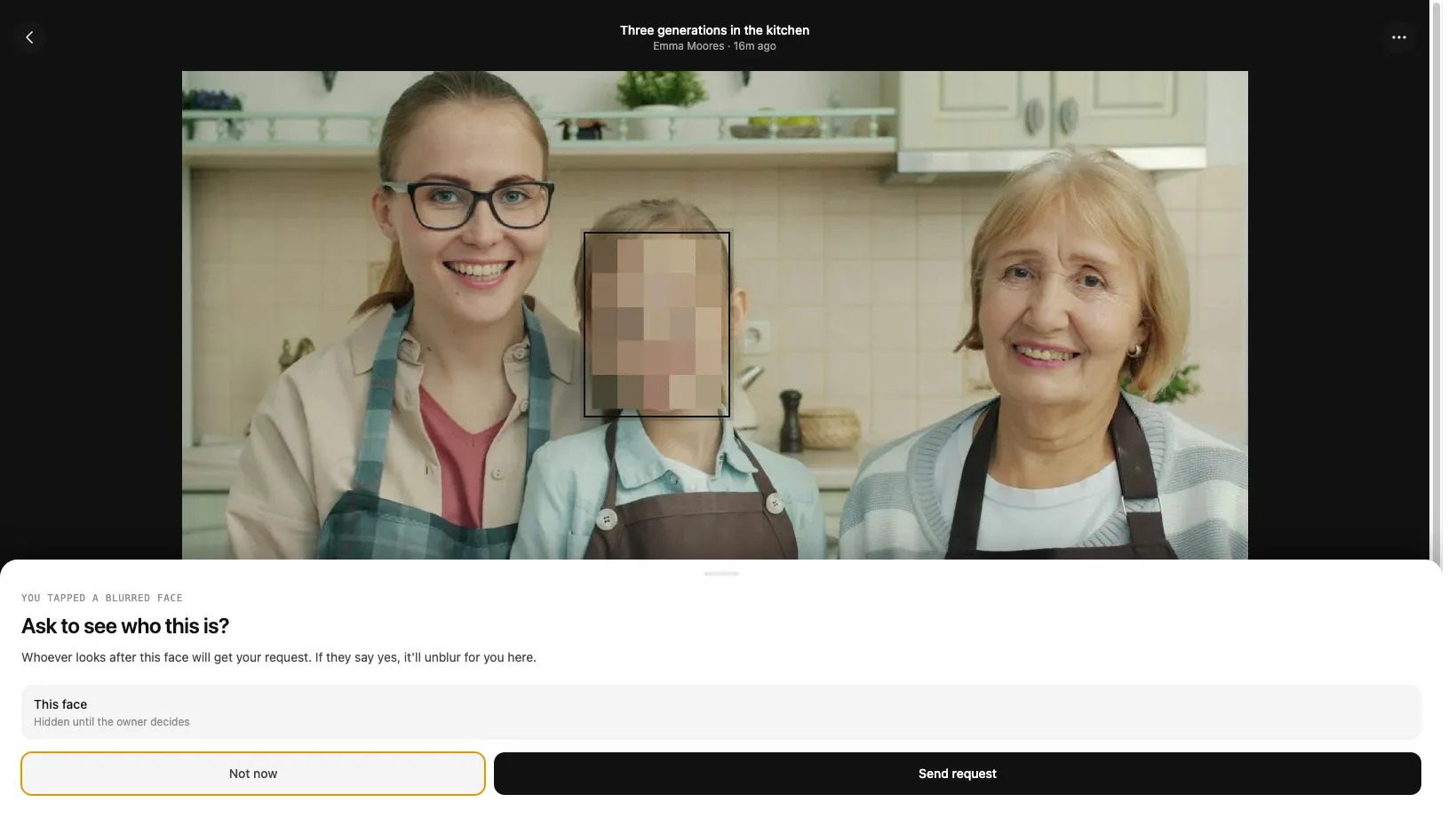
Every controller of that person — the people who administer that person-group — receives a notification. Any one of them can act on it.
Approving, rejecting, or ignoring requests
Section titled “Approving, rejecting, or ignoring requests”If you are a controller for the person:
- Go to the Notifications page.
- Review the pending request — you’ll see who is asking and which photo it’s for.
- Choose Approve, Reject, or Ignore.
Ignore simply dismisses the request from your own list without deciding it — useful when there are several controllers and you’d rather another one handle it. The request stays pending for everyone else. You can bring ignored requests back with Show ignored.
If you Approve, the requester is added as a member of that person-group. They’ll be able to see the unblurred face in this photo and in any other photo where that person appears that they can already access — not just the photo that prompted the request.