Batch Upload
Batch upload lets you share a whole event — a wedding, a team outing, a birthday party — in one session. A batch can hold up to 50 photos.
How it works
Section titled “How it works”- On the Upload screen, tap Share multiple photos.
- Choose your photos from your gallery (up to 50).
- BrightBlur detects faces across every photo and runs cross-photo face clustering — grouping appearances of the same person in different shots.
Face clustering
Section titled “Face clustering”Clustering recognises when the same person appears in several photos and groups those appearances together, so you tag each person once and the decision applies to all of their appearances in the batch.
Reviewing & publishing
Section titled “Reviewing & publishing”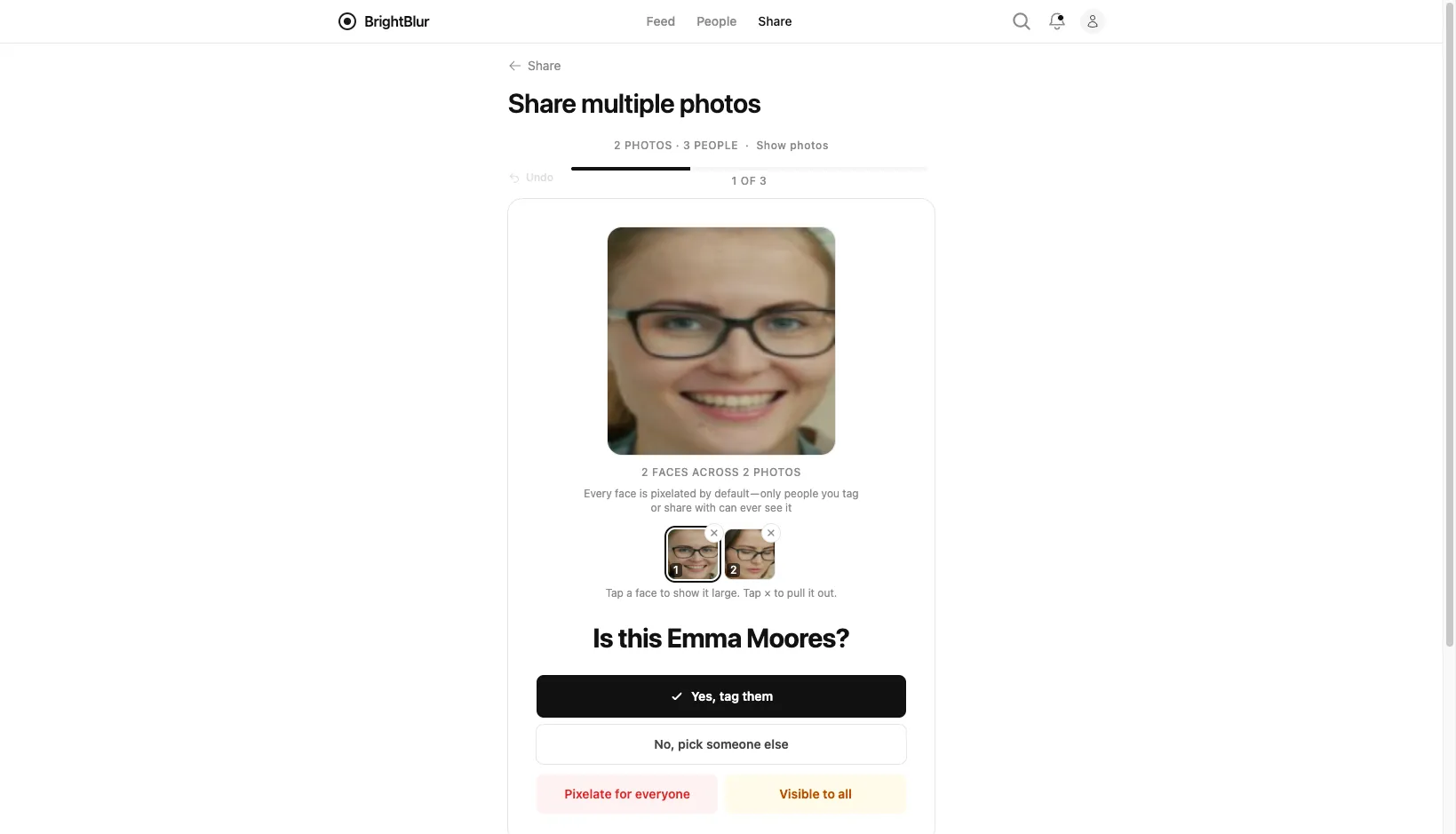
You review clusters one at a time. For each cluster you choose:
- Tag someone — assign the person (existing or new); the tag applies everywhere they appear in the batch.
- Visible to all — leave that person clear in the batch’s photos.
- Pixelated — permanently pixelate that person across the batch.
A grid view lets you act on clusters in bulk if you prefer. When you’re done, tap Choose audience.
On the publish step you set one audience and one caption for the whole batch — they apply to every photo. (You can still fine-tune individual face decisions per photo from the batch face editor before publishing.) Photos are then encrypted and uploaded one at a time, with a progress indicator showing how many are done.