Reporting & Safeguarding
If you see a photo that should not have been shared — content that is harmful, inappropriate, or breaches our Terms of Service — you can report it to the instance administrator for review.
Reporting a photo
Section titled “Reporting a photo”You can report any photo you have access to.
- Open the photo in the detail view.
- Open the overflow menu (the ⋯ button) and choose Report photo.
- Optionally describe the issue in the text box, then tap Submit.
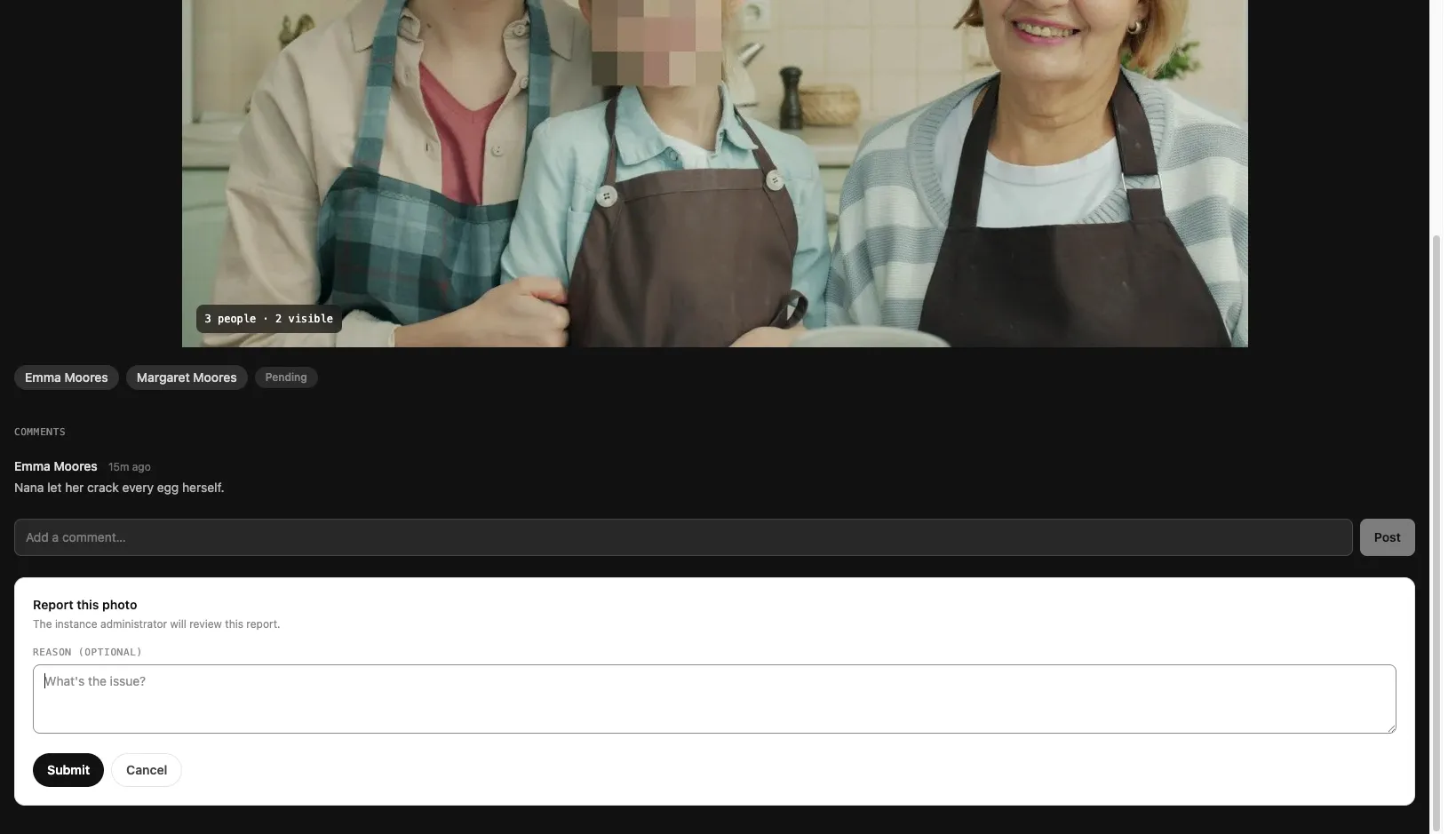
You can report a given photo only once. If you have already reported it, the report option is replaced with a confirmation that your report was received.
What the administrator sees
Section titled “What the administrator sees”Because faces are end-to-end encrypted, the server cannot read a reported photo on its own. So that a moderator can actually review what was reported, your device does the following at the moment you submit:
- It renders the photo exactly as you see it — the pixelated base image with any faces you have access to composited in.
- It re-encrypts that rendered image to the instance administrator’s key, so only the administrator can open it.
- It attaches the photo’s existing encrypted face slices and metadata: who uploaded the photo, which circles it was shared with, the names of the people you can see, and the photo’s timestamp.
The administrator decrypts your rendered copy on their own device using their private key — that copy shows exactly what you saw. The attached face slices are forwarded as they are stored (encrypted to their person-groups), so the administrator can only open those if they hold the relevant keys. At no point does the server hold a readable copy of the image.
What happens after you report
Section titled “What happens after you report”The administrator reviews reports from a dedicated moderation queue. For each report they can:
- Mark it as reviewed once they have looked at it and decided no action is needed.
- Delete the photo, which permanently removes the base image, all face slices, and associated data for everyone it was shared with.
You’re notified of the outcome — whether your report was reviewed or actioned — and if a photo of yours is removed after a report, you’re notified of that too.
Reports are retained as part of the abuse and safety audit trail. As described in the Privacy Policy, the reports you file are kept even after you delete your account, where we have a legal or safety basis to retain them.