Face Tagging
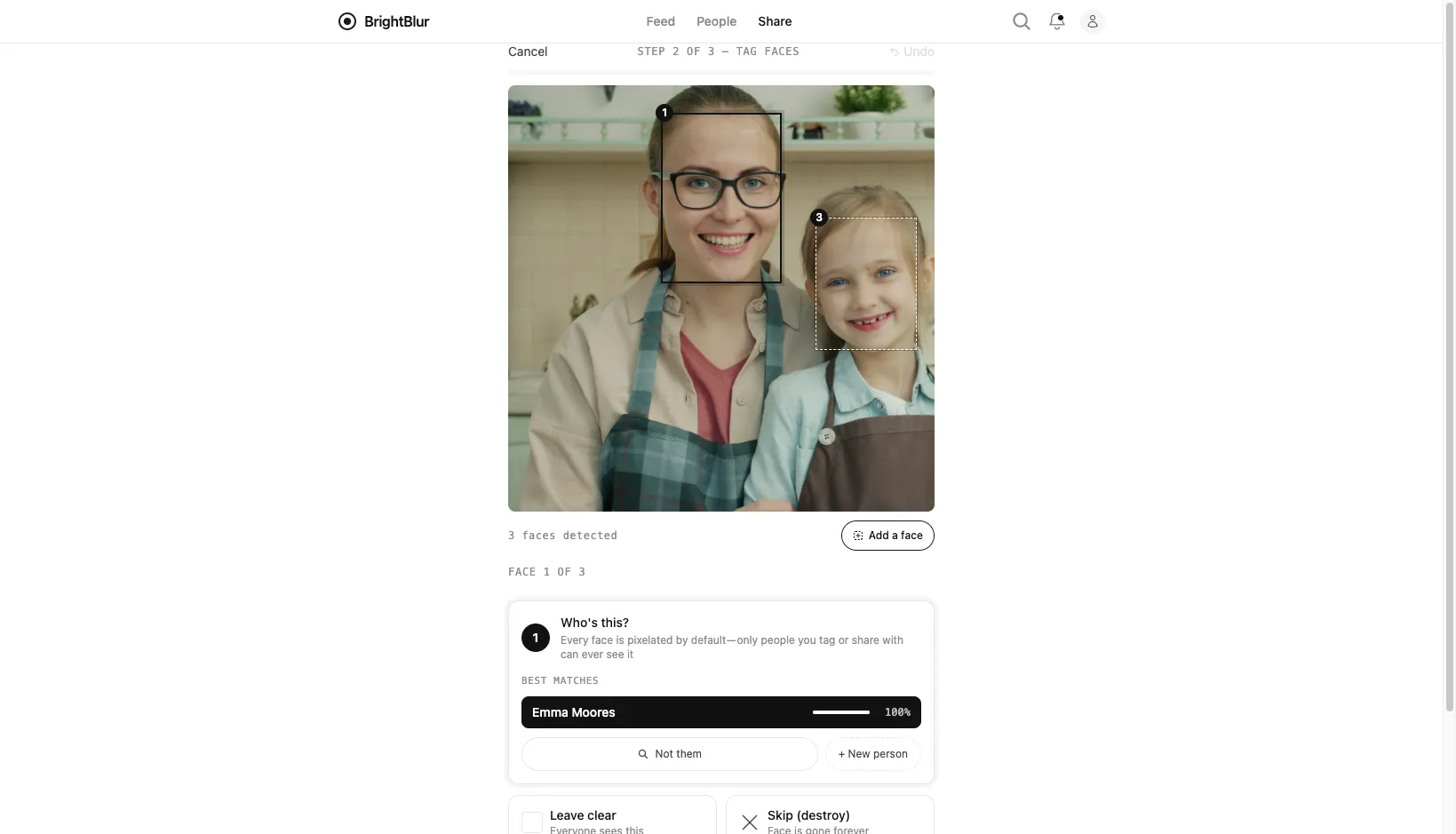
BrightBlur uses on-device face recognition to speed up tagging. As you use the app, it learns to recognise the people you frequently photograph.
Automatic recognition
Section titled “Automatic recognition”When you upload a photo, BrightBlur compares each detected face against the encrypted fingerprints of the people you’ve tagged before:
- Auto-tags — a confident match is filled in for you. The review then skips past that face to the next one that needs a decision; you can always undo an auto-tag if it got someone wrong.
- Suggestions — less certain matches appear as a short list of tappable rows, each showing the person and a similarity score. Tap one to accept it, or pick a different person.
All recognition happens on your device. The server never sees the comparison — it stores only encrypted fingerprints it cannot read.
Manual overrides
Section titled “Manual overrides”You can always override an automatic decision while reviewing a face:
- Tag — choose an existing person, or + New person to create one inline.
- Leave clear — reveal the face to everyone in the photo’s audience.
- Skip (destroy) — permanently pixelate the face. No one, including you, will ever see it again.
Missed faces
Section titled “Missed faces”No face detector is perfect. If detection misses a face, tap Add a face to draw a box around it yourself — particularly useful for faces that are partly hidden, at extreme angles, or very small in the frame. If a photo has no detected faces at all, BrightBlur asks you to confirm before continuing.
Correcting mistakes after publishing
Section titled “Correcting mistakes after publishing”If a face was tagged to the wrong person, an administrator of that person can fix it from the photo’s detail view: tap the × on the face’s name chip (labelled “Wrong person for [name]”) and confirm Remove [name]?. That deletes the face slice and its data — the face reverts to permanently pixelated.